Designing Fresh Foods Sales System for Real-World Speed
Designing a connected platform for real-world speed and operational clarity.

Overview
Fresh Foods runs one of the more demanding supply chains in consumer goods: hundreds of thousands of fresh, perishable packs delivered daily across India and the Middle East, coordinated by a chain of factories, distribution centres, field sales teams, and finance, all racing against a shelf life measured in hours, not days.
For years, that coordination held together through spreadsheets, paper slips, and institutional memory. It worked, because the manual system could still move faster than the business around it. As volumes grew, that stopped being true. Morning handovers at distribution centres started running late. Sales routes were planned the night before and rarely adjusted for what was actually happening on the ground. Finance closed the books hours after the money had already moved.
I joined as UX Researcher and Lead UX Designer for a 3-4 month engagement to find out where the system was actually breaking: not from a dashboard, but from inside the process itself.
My Role
Led end-to-end UX research: field visits, contextual inquiry, workflow mapping and role-based data analysis across all five stakeholder groups.
Reframed five siloed pain points into a single shared-data-model strategy and set "design for seconds, not screens" as the team's operating principle.
Designed the interaction flows and interfaces for all five roles, across mobile, tablet and web.
Partnered with the UI designer and engineering team on execution, and worked directly with the client's CTO, sales staff, and warehouse manager to keep the design grounded in real operations.
The Real Problem Wasn't Five Broken Screens
Break this project down by team and you get five separate problems: queue congestion at distribution centres, static sales planning, fragmented finance records, slow store visits, rigid admin tools. That's accurate. It's also the view from five different desks.
Look at it from the product's side instead, and it's the same problem five times: no one downstream of an event could see it happening until a person told them, manually.
A truck arrives at a distribution centre; the salesman doesn't know his allocation until someone tells him. A delivery gets completed; finance doesn't know until a paper slip or a UPI record gets reconciled, hours later. A retailer's demand shifts; the planner building tomorrow's route has no way to feel that shift except memory and habit. Every one of these gaps got patched by a person doing manual work: writing it down, walking it over, checking it twice. That patchwork was the bottleneck, not any single screen.
This reframe changed what we were designing. Five disconnected tools, each solving its own local pain point, would have papered over the same gap five more times. What the business needed was one shared, live record of what was actually happening, with five different windows onto it, each shaped for a very different job.
Key Insight
The problem was never five broken screens. It was one broken handoff, repeated five times a day.

Major users and their tasks
Getting Underneath the Process
Participant observation
I rode along with salesmen on their routes: watching proof-of-delivery get captured, watching returns get logged, watching what happened the moment a store disputed a quantity. None of that shows up cleanly in a process document; you have to be standing there when a five-minute stop turns into fifteen.
Contextual inquiry
We sat on-site with distribution centre staff, territory planners, and finance teams (at factories, DCs, and retail points), asking not "what do you do" but "show me what you did this morning." The gap between those two answers was usually the most useful part of the interview.
Workflow mapping
We traced the actual path of information (not the path in the process document) from stock leaving the factory to a payment getting reconciled. Mapping it end-to-end, instead of role by role, is what surfaced the handoff problem in the first place.
Role-based data analysis
For each of the five roles we'd end up designing for, we mapped exactly what data they needed to receive and what data only they could produce. That map became the spine of the shared data model everything else was built on.

From the field research
What the Field Actually Showed
Four patterns kept surfacing, and all four turned out to be the same root cause wearing a different uniform.
Queues formed because loadouts ran one at a time
Distribution centres processed a single vehicle before starting the next, so every salesman waiting on his allocation was, structurally, waiting on everyone ahead of him. Nothing was wrong with any individual step; the process simply had no way to run more than one thing at onc
Planning stayed static because it had nothing live to react to
Territory planners built next-day quantities from notes, historical averages, and instinct, because no real-time signal from the field ever reached them. The plan wasn't careless; it was working from yesterday's information by design.
Finance reconciled after the fact because it received data after the fact
Cash, UPI, and credit transactions arrived as paper slips and scattered digital records, so mismatches only surfaced when someone sat down at day's end to compare them, long after the sale itself was over.
Store visits ran long because the system asked salesmen to do two jobs at once
A visit that should take four to five minutes routinely ran past that, because manual entry and on-the-spot dispute handling were competing with the actual sales conversation for the same few minutes.

DC User - Userflow

Salesman - Workflow
One System, Five Views
Every role touches the same underlying chain of events, but needs a completely different slice of it, on a different device, at a different pace.
Queues formed because loadouts ran one at a time
Distribution centres processed a single vehicle before starting the next, so every salesman waiting on his allocation was, structurally, waiting on everyone ahead of him. Nothing was wrong with any individual step; the process simply had no way to run more than one thing at onc
Planning stayed static because it had nothing live to react to
Territory planners built next-day quantities from notes, historical averages, and instinct, because no real-time signal from the field ever reached them. The plan wasn't careless; it was working from yesterday's information by design.
Finance reconciled after the fact because it received data after the fact
Cash, UPI, and credit transactions arrived as paper slips and scattered digital records, so mismatches only surfaced when someone sat down at day's end to compare them, long after the sale itself was over.
Store visits ran long because the system asked salesmen to do two jobs at once
A visit that should take four to five minutes routinely ran past that, because manual entry and on-the-spot dispute handling were competing with the actual sales conversation for the same few minutes.
That range (a driver on a motorbike, a warehouse tablet, a finance analyst's desktop) is what made "just design a dashboard" the wrong answer from day one.
The Reframe: Sync Over Screens
The team's early instinct, reasonably enough, was to scope five independent tools and make each one as good as possible on its own terms. I pushed the brief in a different direction: design the shared data model first, as one continuously-updating record of what was actually happening across the business, and treat each role's interface as a purpose-built window onto that record, not a separate product.
In practice, that meant checking every design decision against one question: does this information need to reach someone else, and how fast? A delivery logged in the field wasn't just a completed task for the salesman: it was inventory data for the DC, a data point for tomorrow's forecast, and a transaction waiting for finance to reconcile. Designing the salesman's screen without designing that propagation would have solved his problem and quietly recreated everyone else's.
That became the operating principle for the whole system: design for seconds, not screens. Four commitments followed from it:
Speed-first workflows
Fewer taps, faster decisions, because every extra second in the field was a second not spent with a customer.
Data continuity
Every role's action auto-synced to everyone downstream of it, closing the manual-handoff gap that caused most of the friction to begin with.
Device context
Mobile for the field, tablet for the DC floor, web for planning and finance. The right device was part of the design, not an afterthought.
Built to scale
The model had to hold up in geographies we hadn't researched yet, not just the ones we had.

Initial ideations: Loadout & Settlement screens looks the same , Settlement screen wireframes, Dispute management screen
The System in Practice
Salesman App: a route, not a to-do list
With four to five minutes per stop, every second spent on data entry was a second taken from the actual sale. The Salesman App pre-loads the day's route and priorities before the salesman even leaves the DC, so route planning happens before the day starts, not during it. Proof-of-delivery capture works offline by default (a deliberate call, since long stretches of a delivery route sit in low-connectivity areas), and a capture tool that only works with signal fails exactly when it's needed most. Returns and disputes log in one tap instead of a handwritten note finance would have to interpret hours later.

Salesman App screens
Warehouse Application: loadouts that run in parallel, not in line
The morning queue wasn't a staffing problem, it was a sequencing problem: one vehicle had to fully clear before the next could start. The Warehouse Application lets DC executives track and validate multiple loadouts side by side, with live inventory broken out by route and vehicle, so a delay on one truck stops blocking every truck behind it. This one change, against the sequential-processing assumption, is where most of the 40% queue-time reduction comes from.

Distribution centre - Loadout screen
For finance: reconciliation that happens as the sale happens
Because a delivery now syncs to the shared record the moment it's logged, finance stopped waiting on end-of-day paperwork to know what had actually sold. The reconciliation view unifies cash, UPI, and credit transactions in one place, flags discrepancies automatically instead of at manual review, and stays linked to live sales and inventory, turning reconciliation from a nightly audit into something closer to a running total.
Financial settlement flow

Finance Settlement / reconciliation screen
For the territory planner: a plan that can hear the field
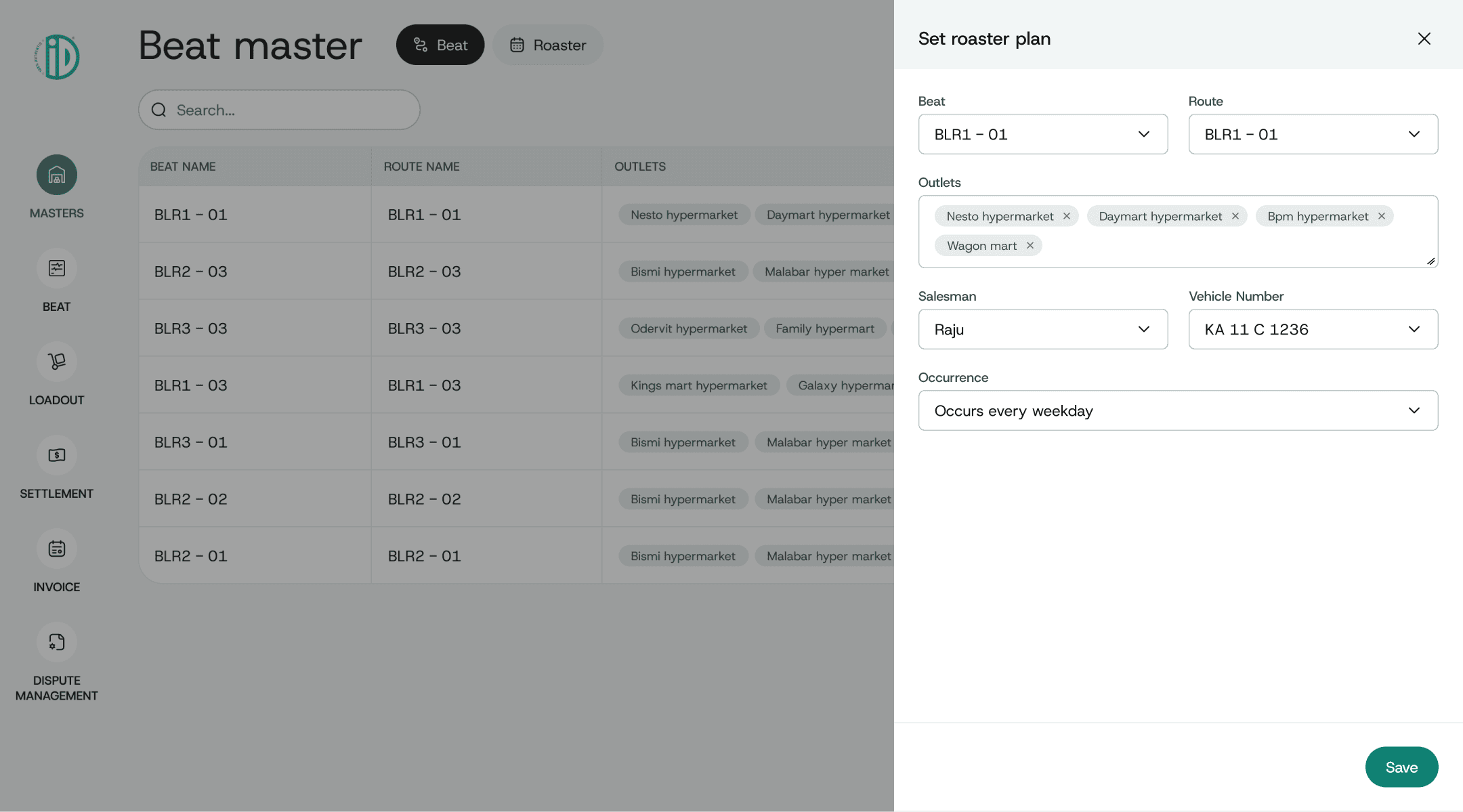
Planners weren't bad at forecasting; they were forecasting blind, with no live signal feeding back into tomorrow's plan. The planning suite lets them adjust rosters and routes against live field updates instead of yesterday's averages, and builds product-level forecasts from seasonal and retailer history, so the plan can respond to what's actually happening instead of predicting around it.
Loadout planning flow
For admin: a system built to grow into new markets, not just hold the current one
With expansion into new geographies already on the roadmap, hard-coded product and pricing structures would have meant a rebuild every time the business grew. The admin layer makes SKUs, retailer terms, and discount schemes fully configurable, with user-defined columns instead of a fixed schema, built for the business Fresh Foods would be next year, not just the one it was during research.


Create scheme flow
Outcomes
Distribution-centre queue time dropped 40%, largely from replacing sequential loadout processing with parallel tracking.
Reconciliation moved from an end-of-day exercise to near real-time, closing the gap between a sale happening and finance knowing about it.
Route accuracy and field efficiency both improved. Salesmen spent less time on manual entry and dispute handling, and more of their four-to-five-minute store visits went to the actual sales conversation.
Reflection
Standing inside a crowded distribution centre at the start of a shift, watching a queue of salesmen wait on a loadout that could have run in parallel, changed how I think about usability. This wasn't a project where the interface was the hard part; the interfaces, in the end, were fairly conventional: a mobile app, a couple of dashboards, a planning tool. The hard part was seeing that five different pain points were actually one visibility problem wearing five different uniforms, and having the discipline to design the shared record before designing any of the screens sitting on top of it.
Logistics work taught me to design for momentum instead of moments. You stop asking "what does this screen need to show" and start asking "what does the system need to already know by the time someone opens it." That shift (from designing interfaces to designing rhythm) is the biggest thing I carried out of this project and into every systems-level problem since.


